18 Incorporating Visuals Into Instructions
Not All Visuals Work in All Situations
In a previous chapter, the list of typical visuals included graphs, charts, and tables. While those are common visuals in professional/technical documents, they’re not as common when it comes to sets of instructions – they don’t often serve a purpose in those types of documents.
Instructions are unique in that they often benefit more from visuals that aren’t as common as graphs, charts, and tables. Because a set of instructions is designed to walk an audience through a process, procedure, or a task, the visuals need to function in much the same way. There are a few common reasons that writers include visuals in their instructions.
Illustration
That term isn’t meant to suggest that the visuals should be illustrations, rather that they should be used to illustrate something, like a particular step or what an audience should be seeing before, during, or after a particular step.
For example, think of a set of instructions on how to build a bookcase. If one step involved adding in some horizontal shelves, an image/pair of images that show what the bookcase would look like both before the shelves are added and then after they’re installed.
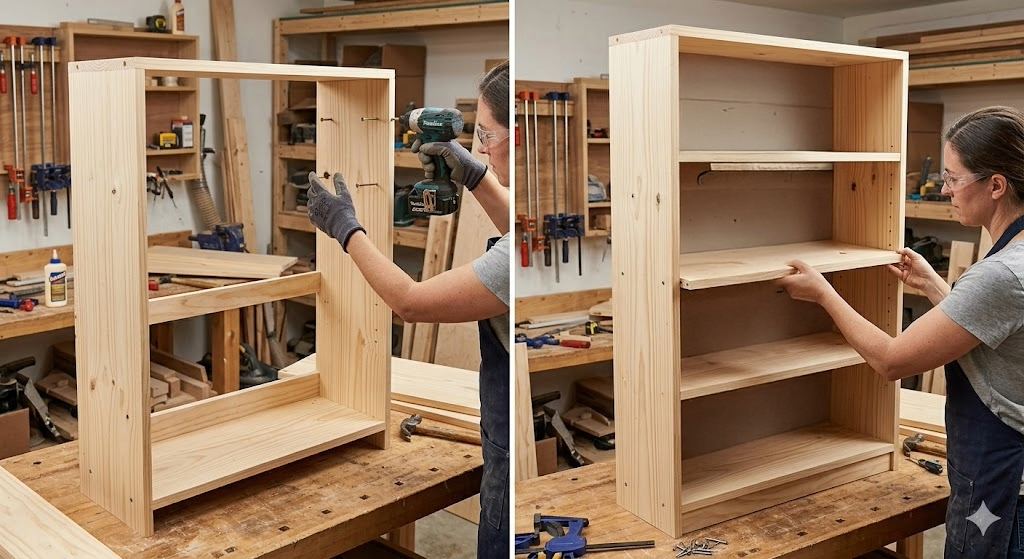
Clearly, the images above would show the audience what they should expect their work to produce and most readers would understand that without any further explanation.
But… if you’re using the word ‘most’, that does suggest that not all of the audience would grasp the message, no matter how obvious most of us might think it is. And when it comes to creating a set of instructions that is effective and clear, we always need to think about that audience – the one that might misunderstand our intended message.
Think of it this way: a professor plays a video in class and turns on the captions so that anyone in the class who has any sort of hearing difficulty can still understand what they’re watching. By doing that, the professor might only be helping a small population of students but they’re not hurting the rest of the students. The cliched phrase is that “rising tides lift all boats” and that concept applies to the creation of instructions as well.
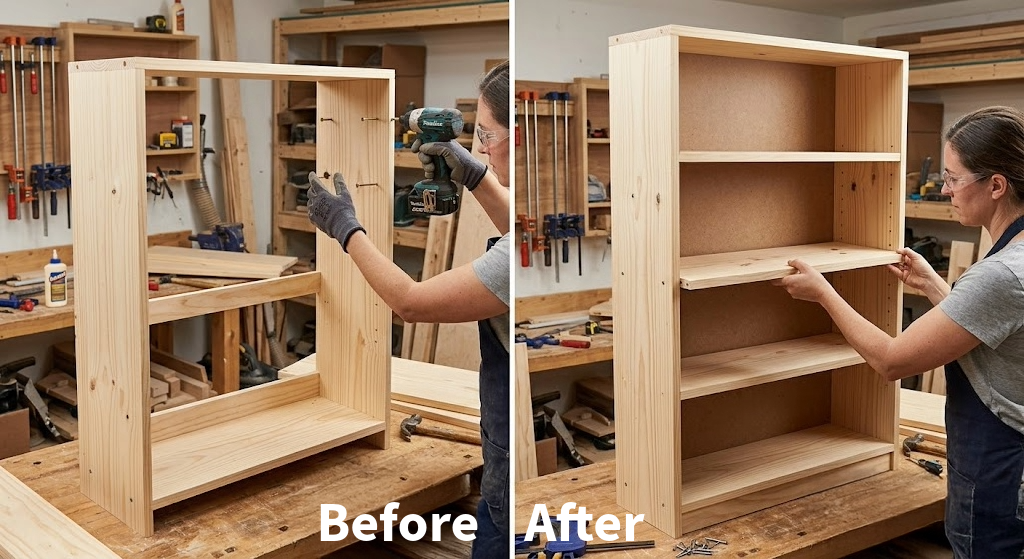
Now, with the pictures labelled as ‘before’ and ‘after’, even the potentially confused audience should have a better/clearer understanding of what they’re looking at.
There are still some issues with the visual itself – like the font and color of the labels at the bottom of the document, for instance – but the basic idea works. Maybe you’ve encountered this before in some instructions you’ve looked at. Many sets of instructions for products like that bookcase rely almost entirely on visuals, with only minimal words. But that’s not usually the case in professional documents.
Visuals As Instructions
One use of visuals that’s common to instructions is the use of them as the instructions or at least a second version of them.
Let’s refer back to our example of the instructions for building the bookcase. The before and after pictures show what the bookcase should look like after someone completes a step, but it doesn’t specifically lay out any actual instructions. But there are ways that a writer could use the pictures to actually give the audience the step-by-step.
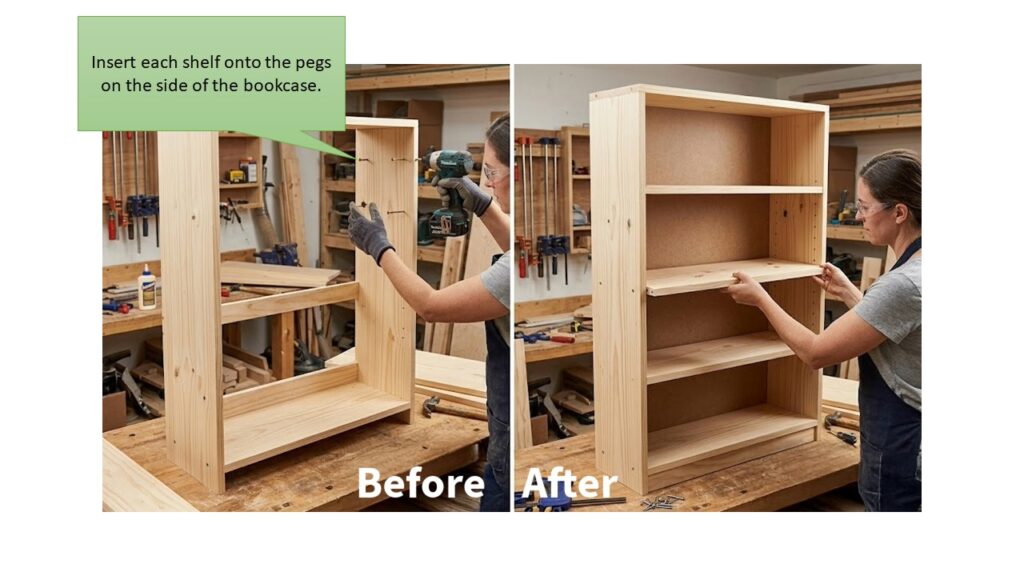
In this new version of the image, there’s a shape pointing to the pegs in the side of the bookcase and telling the audience to install the shelves onto those pegs. That shape is a ‘callout’ – it calls out something in the image/document to get the audiences’ attention – and it can be very useful in turning a basic image or screenshot into an actual step in the instructions.
If you’ve ever tried to teach someone older than you – like grandma or grandpa – about some sort of modern technology, like how to use Snapchat or TikTok, you’ve probably experienced a level of frustration at trying to guide them through the process. And then there was probably an entirely new level of frustration when they tried to do it by themselves when you weren’t there. If you put a set of instructions together with a series of screenshots and callouts, they might be better equipped to navigate the technology on their own.
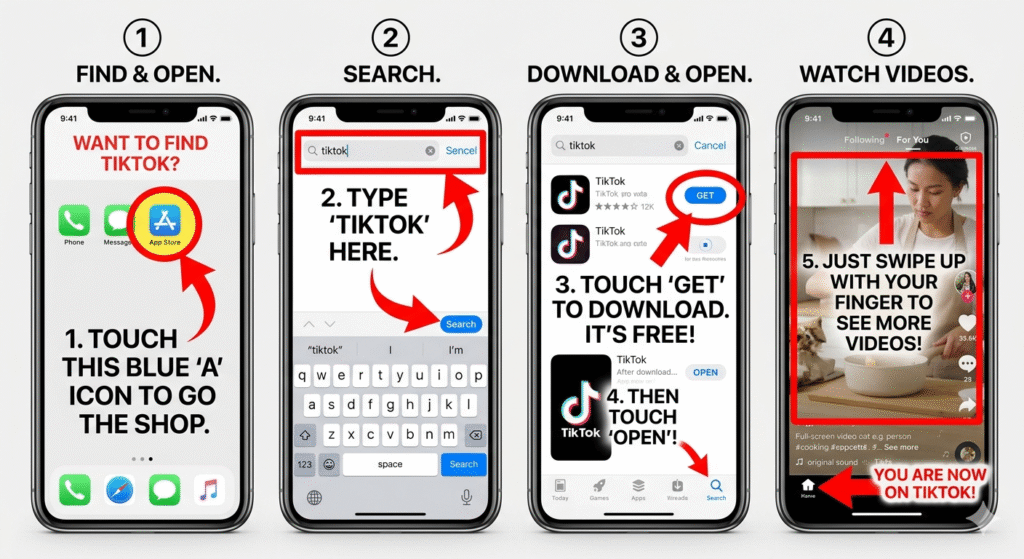
Using visuals in this manner also helps to address another potential barrier/problem with a set of instructions: language barriers. In some cases, the steps themselves turn out to be long sentences that can be confusing to someone with a different native language. Visuals can help to overcome those barriers by simplifying the steps in the process and reinforcing the message presented in the steps themselves.
Watch Out! Danger Ahead!
Most of us learn as children that something that has a skull and crossbones symbol on it is probably poisonous and dangerous and we shouldn’t eat it or drink it. That’s the power of a good visual. And it’s another way that a writer can use them within a set of instructions. Warning users about any sort of potential danger or hazard in a way that attracts their attention and makes those warnings stand out, can be exceptionally useful and important. For example…
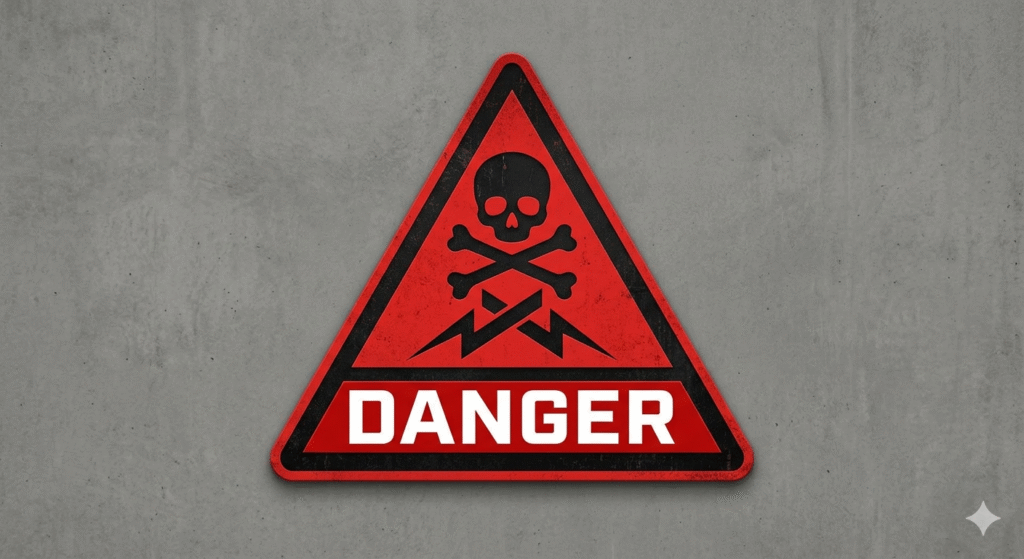
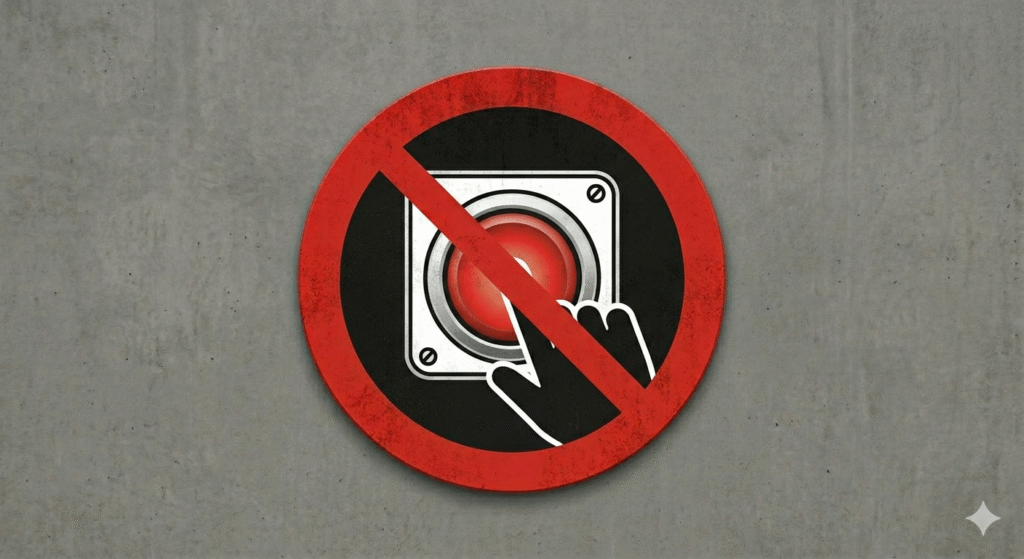
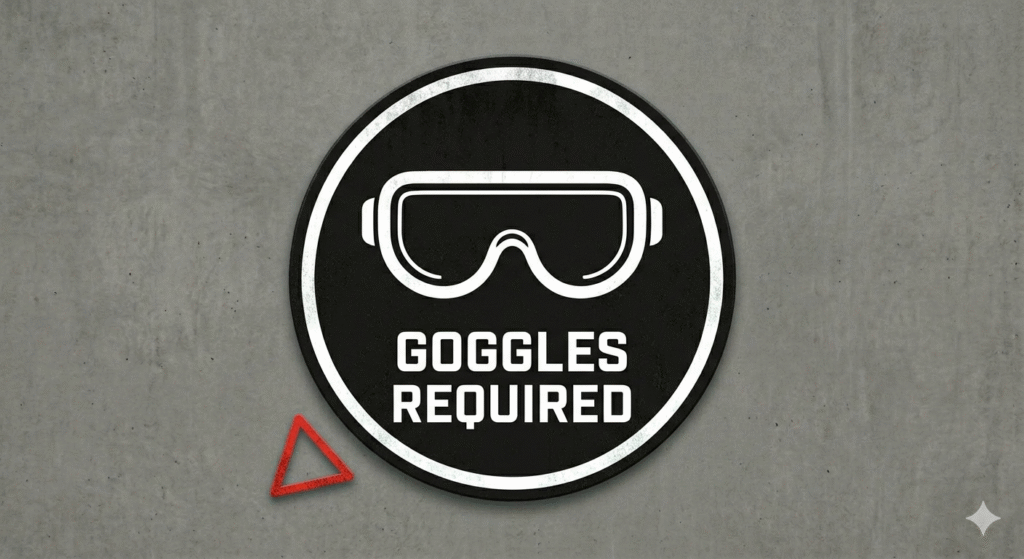
Using visuals in these sorts of high impact and clearly communicative ways can add to the overall effectiveness of a set of instructions and help to overcome potential barriers when dealing with any kind of multicultural audience.